
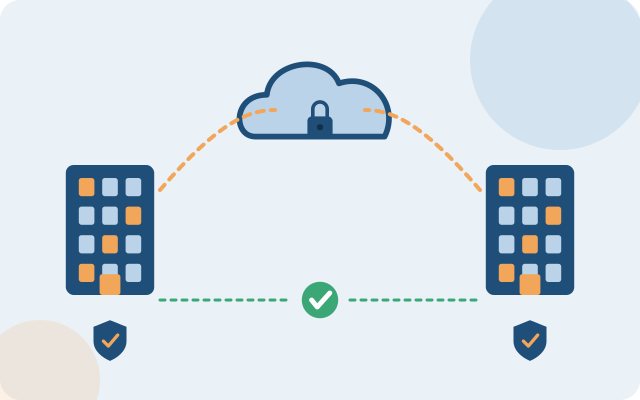
The more points of sale, the harder it is to keep the network consistent. A standard configuration template lets you open new stores quickly and manage from one place.
Are you facing any of these?
Every store is different
Different equipment and configuration make remote support and fixes hard.
Payments get interrupted
Losing the network means losing revenue, especially at peak hours.
Customers share a network with payment terminals
A risk to payment data and to operations.
Main scope
And more besides, depending on what fits your situation.
A standard configuration, replicated
One set of equipment and a template configuration, quick to install at a new site.
Central management
Monitor and configure every store remotely.
A dedicated payment network
Separated from guest Wi-Fi and the staff network.
Backup connection
4G/5G or a second carrier, switching automatically when the network is lost.
VPN to headquarters
A secure link to management and sales systems.
Camera
Integrated, with safe remote viewing.
How the system is usually organized
- One compact device set at each store: firewall, switch and Wi-Fi
- Site-to-site VPN back to the center
- POS, staff and guest networks kept separate
- Central remote monitoring
The specific architecture is set after the survey, depending on your size and current setup.
4 clear steps from the start
- Survey a model sitePick one store as the model.
- StandardizeDefine the standard equipment set and configuration.
- ReplicateInstall the remaining sites on schedule.
- OperateRemote monitoring and support.
Frequently asked questions
How long does it take to get the network at a new store?
With a standard configuration, most of the work is installing and connecting. The exact time depends on the premises and the carrier, and is agreed when planning.
How does a store keep selling when it loses the network?
A backup connection switches over automatically when the main line fails. Depending on the point-of-sale software, a temporary offline mode can be added.
Do we need IT staff at every store?
Not necessarily. Configuration and fault handling are mostly done remotely, and store staff only need to follow simple instructions when an on-site action is needed.
Does it work for a small chain of a few stores?
Yes. A standard configuration template makes even a small chain easy to expand later.
Reference vendors and product codes for this solution
By specific need and size. Codes are for reference; COREIT fixes the model and successor versions after the survey, and can use equivalent equipment from other vendors to suit the budget.
| Need | Smaller sites | Medium and large sites |
|---|---|---|
| Firewall and SD-WAN per store | FortiGate 40F or 60F | FortiGate 70G at larger stores; FortiGate 200G at head office |
| Store and guest Wi-Fi | Aruba Instant On AP22 or UniFi U6+ | HPE Aruba AP-635 with Aruba Central |
| Separating POS and guest networks | A dedicated POS VLAN on FortiGate | POS segmentation to PCI practice with central logging |
| Store switches | Aruba Instant On 1930 | Aruba CX 6200F |
| Store cameras | Ubiquiti UniFi Protect | Hanwha Vision or Axis, centrally managed |
| Central management of many stores | The vendor's cloud management | FortiManager and Aruba Central |
Xem quy trình dịch vụ kỹ thuật → · Need help configuring or tuning equipment you already own? See device support →
Want to know where to start?
Take the 2-minute quick assessment, or leave your details and an engineer will call you back with free advice.
IT infrastructure assessment (2 min) Get advice