
Warehouses cover large areas with lots of metal and mobile devices. The network must cover evenly, withstand the environment and run reliably all day.
Are you facing any of these?
Dead spots in the warehouse
Metal shelving and long distances weaken the signal and handheld devices lose connection.
Several areas far apart
Warehouses, yards and offices need stable, secure links.
Operations data depends on the network
Losing connectivity stops receiving and dispatch and affects orders.
Main scope
And more besides, depending on what fits your situation.
Wide-area indoor and outdoor Wi-Fi
A survey in the real warehouse, with environment-rated equipment chosen to suit.
Fibre backbone between areas
Fiber links warehouses, yards and offices, with route redundancy when needed.
Link redundancy
Several carriers, switching automatically on failure.
Surveillance cameras
Covering receiving and dispatch areas, with safe remote access.
Office, operations and guest zones separated
Limits the risk of spread.
Cabling and cabinet installation
Cable pulling, rack installation, testing and handover documents.
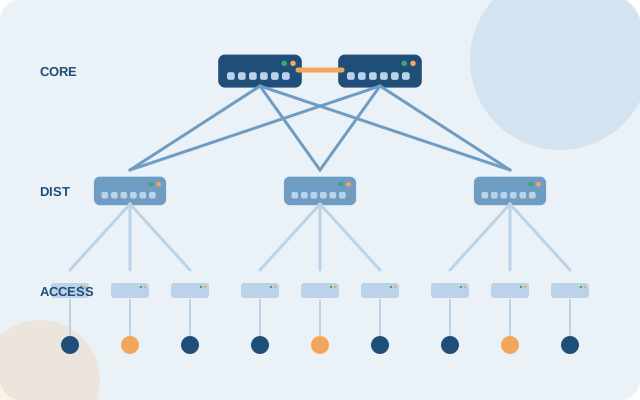
How the system is usually organized
- A fiber backbone between buildings and yard areas
- Outdoor Wi-Fi for yards, indoor Wi-Fi for warehouses and offices
- A firewall at the edge, with backup connectivity
- Central monitoring
The specific architecture is set after the survey, depending on your size and current setup.
4 clear steps from the start
- SurveyTake real measurements in the warehouse and decide cable routes.
- DesignArchitecture and cost estimate.
- COREIT INFRADone area by area with little impact on operations.
- HandoverTesting, documents and support.
Frequently asked questions
Can Wi-Fi cover a warehouse with lots of metal shelving?
It can, but device placement needs a survey that follows the shelving layout. We measure on site instead of calculating on paper.
How do we connect a yard that is far from the office?
Usually fiber between areas, or a dedicated wireless link where cable cannot yet be pulled. The option is chosen after the survey.
Do handheld scanners need separate configuration?
They are usually best on a separate network for stability and easy management. We configure to the requirements of the warehouse software you use.
Can we do one area at a time?
Yes. Work can be phased by area so receiving and dispatch operations are not affected.
Reference vendors and product codes for this solution
By specific need and size. Codes are for reference; COREIT fixes the model and successor versions after the survey, and can use equivalent equipment from other vendors to suit the budget.
| Need | Smaller sites | Medium and large sites |
|---|---|---|
| Wide-area Wi-Fi for handheld scanners | HPE Aruba AP-635; outdoors AP-577 | Aruba AP-735 and AP-687 or Cisco CW9166I, with central roaming |
| Fibre backbone between areas | Aruba CX 6300M with SFP+ fibre ports | Aruba CX 8325-32C or Cisco Catalyst 9500 |
| Link redundancy | FortiGate 70G with two WAN links | FortiGate 200G / 400F with multi-site SD-WAN |
| Surveillance cameras | Ubiquiti UniFi Protect | Axis or Hanwha Vision, stored on a dedicated server |
| Power and network cabinets | APC SMT1500RMI2UC or Eaton 5P | APC SRT3000RMXLI or Eaton 9PX |
Xem quy trình dịch vụ kỹ thuật → · Need help configuring or tuning equipment you already own? See device support →
Want to know where to start?
Take the 2-minute quick assessment, or leave your details and an engineer will call you back with free advice.
IT infrastructure assessment (2 min) Get advice